TABLE OF CONTENTS
2. How to Generate Test Cases using Auto Testcases Feature
1. Overview
Creating test cases manually for every application flow can be time-consuming, repetitive, and difficult to maintain as projects grow. To simplify and accelerate the testing process, algoQA provides an Auto Test Case Generation feature that helps teams quickly generate structured test cases with minimal manual effort.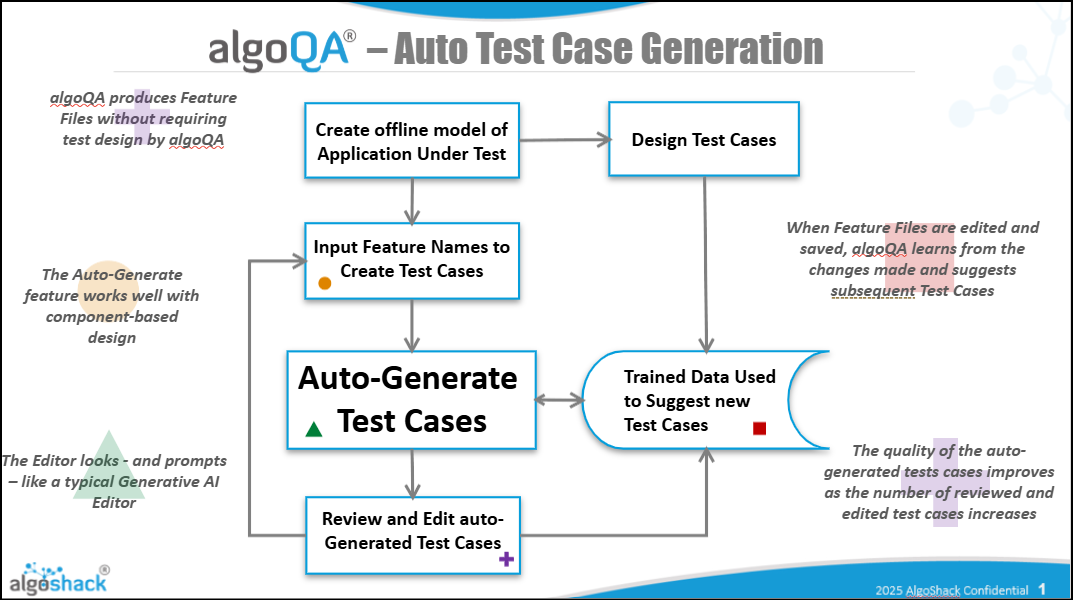
2. How to Generate Test Cases using Auto Testcases Feature
- First, create a project and configure it using either the Offline Recorder or the Online Recorder available in algoScraper.
- Refer to the following articles for detailed steps:
How To Launch Scraper Using algoQA — Learn how to launch algoScraper for the respective webpage while creating a project and scrape UI elements.
Record a Scenario Using Offline Recorder — Learn how to record a scenario using the Offline Recorder.
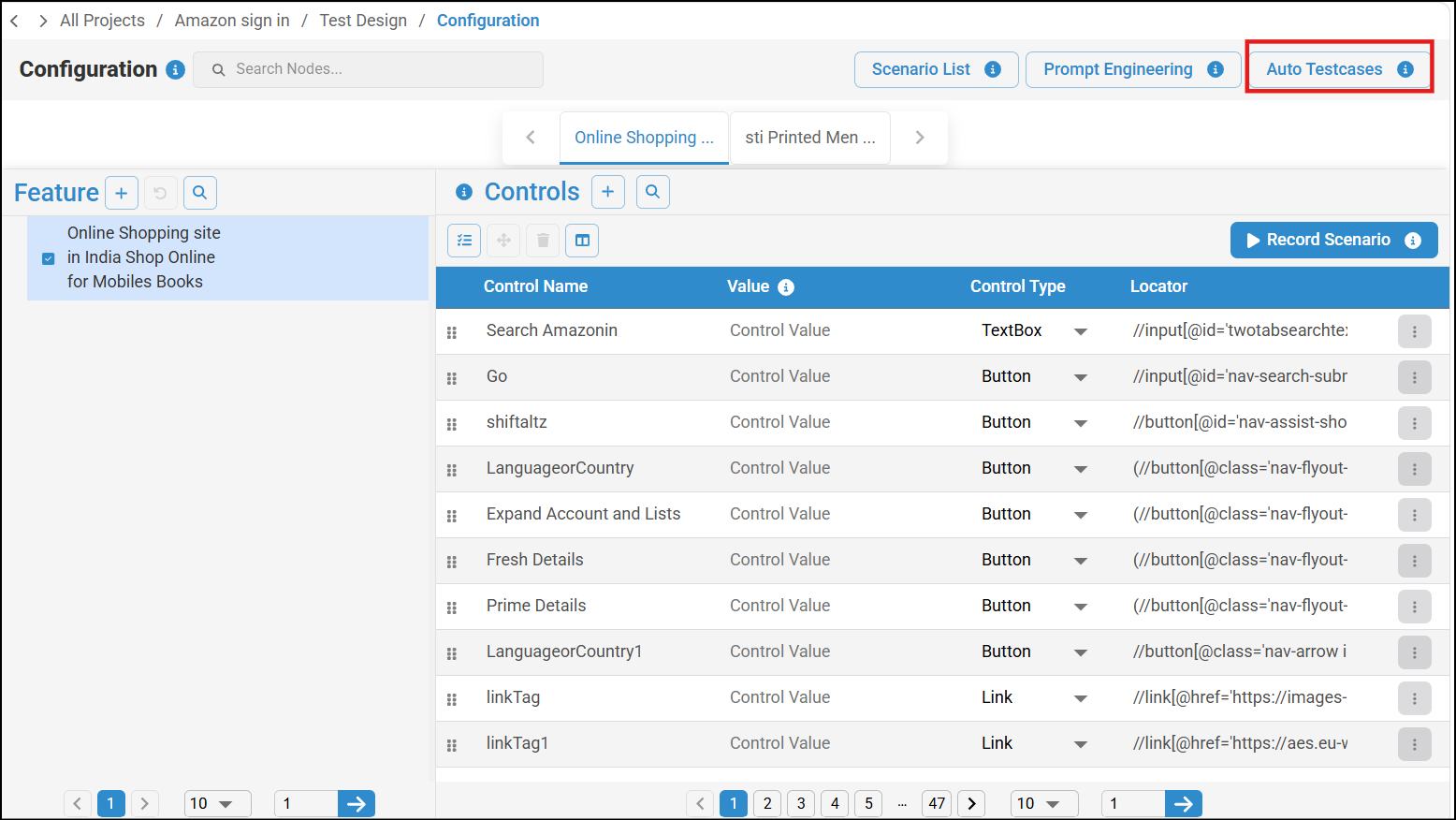
Record a Scenario Using Online Recorder — Learn how to record a scenario using the Online Recorder. - The configuration consists of:
- Nodes
- Features
- Controls
- These components are captured during the recording process using the Offline or Online Recorder. Once the scenario is created successfully, click on Auto Testcases to generate test cases automatically.
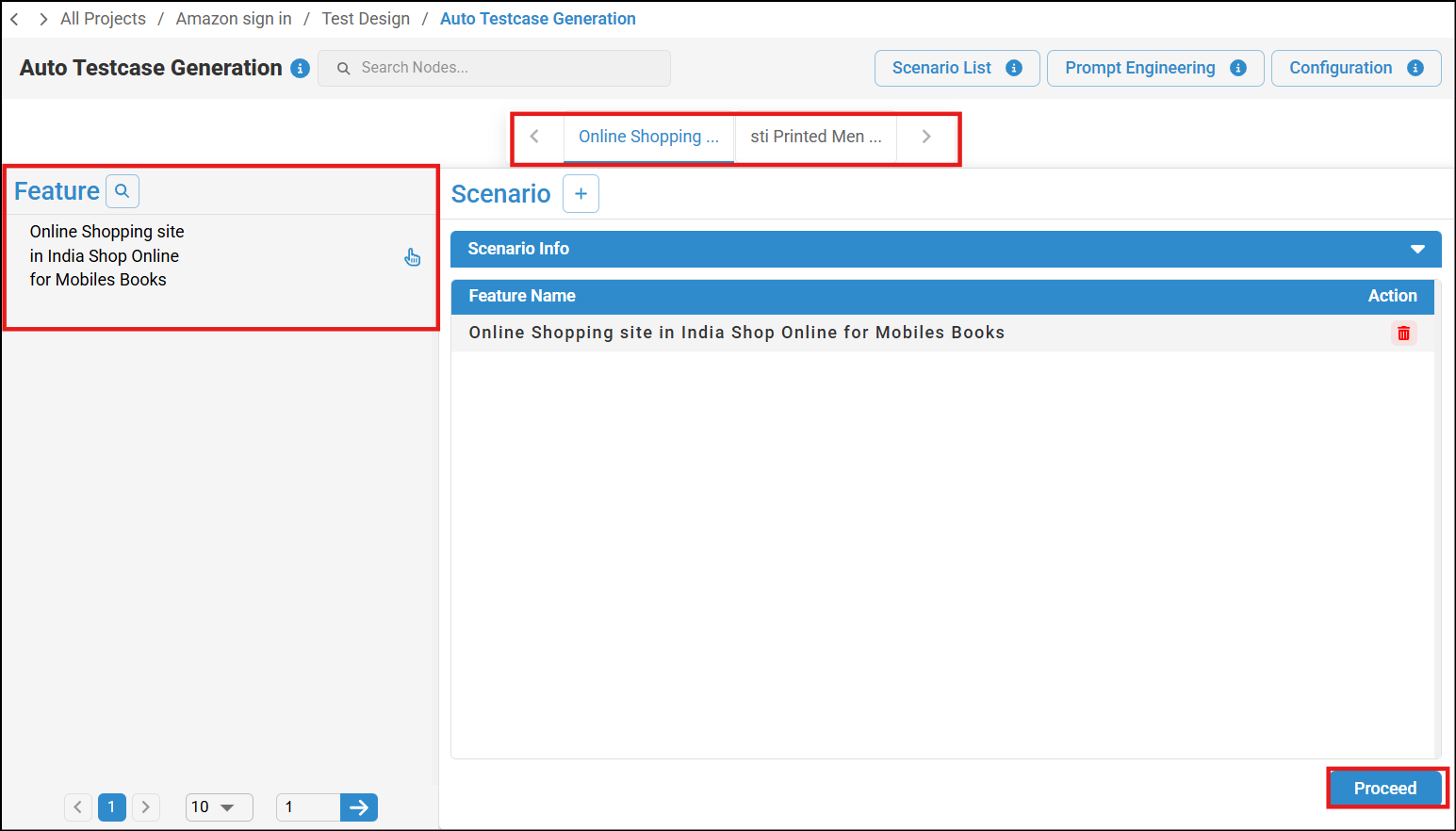
- Select the Node and Feature for which the test case needs to be generated, then click Proceed after making the selection.
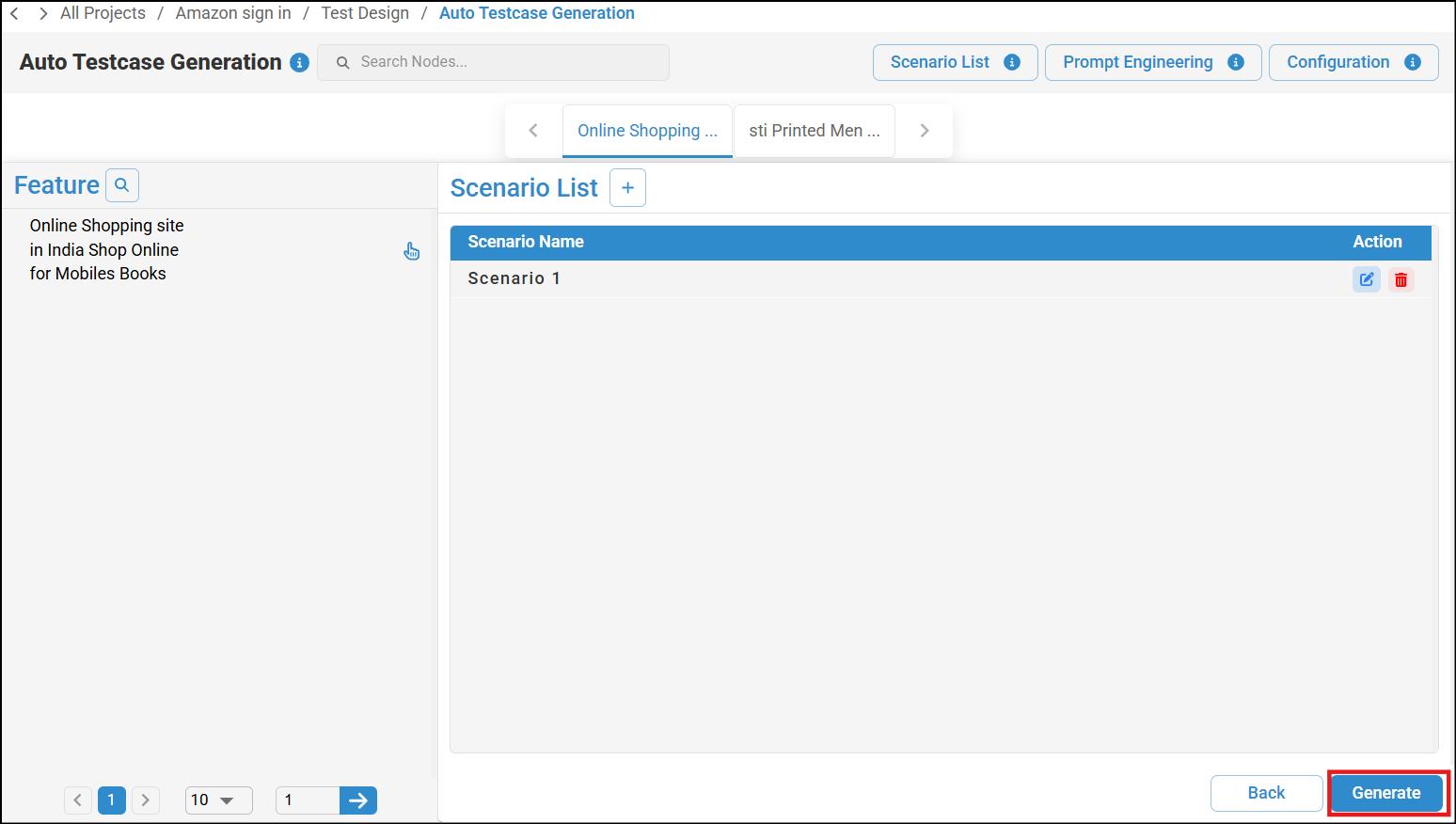
- You can view the scenario name and click Generate to generate the scenario.
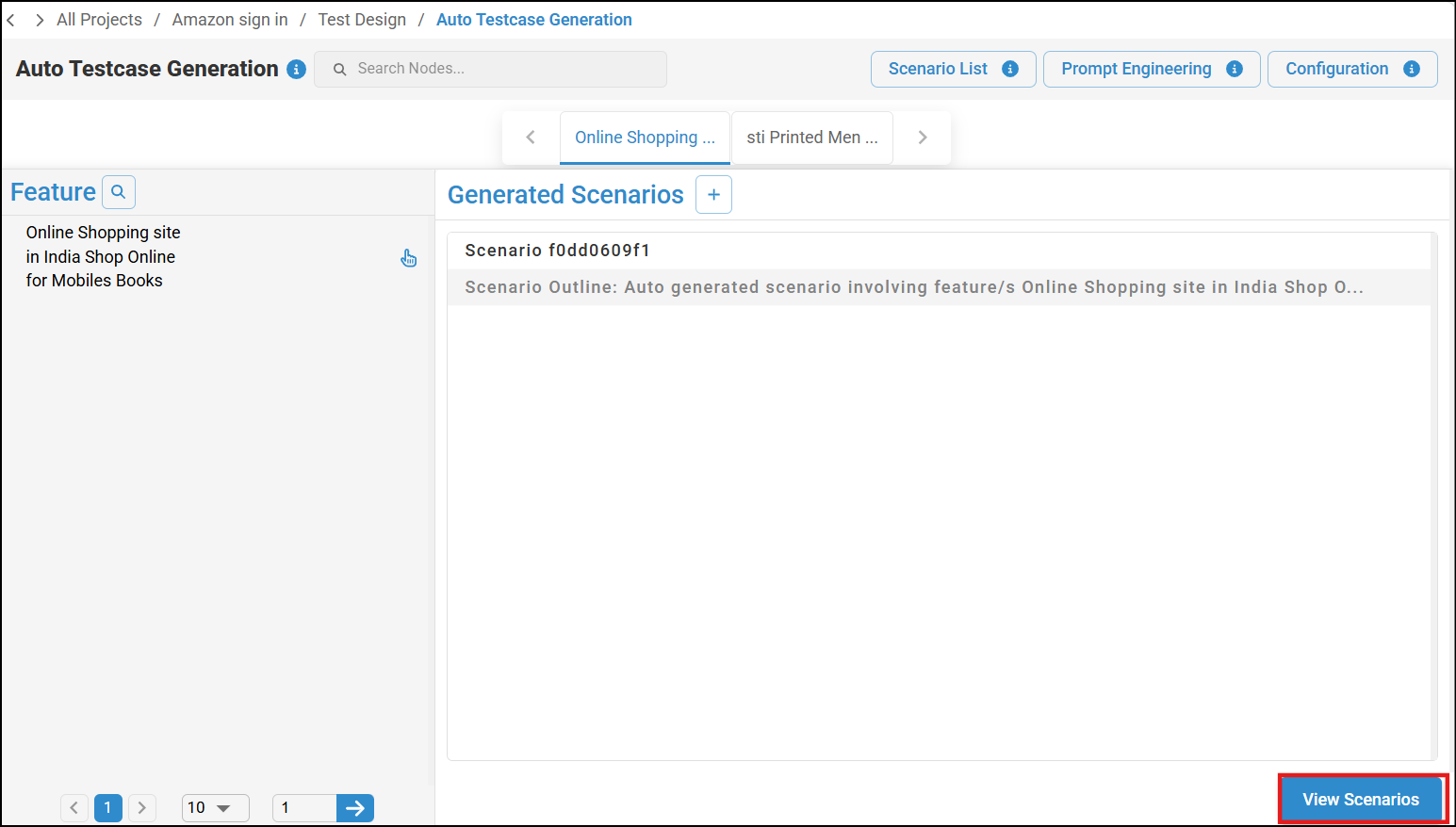
- Once the scenario is generated successfully, click on View Scenarios and you can review and modify the scenario and scenario step list if required. To learn more, refer to Managing Test Cases Using Test Design Feature.
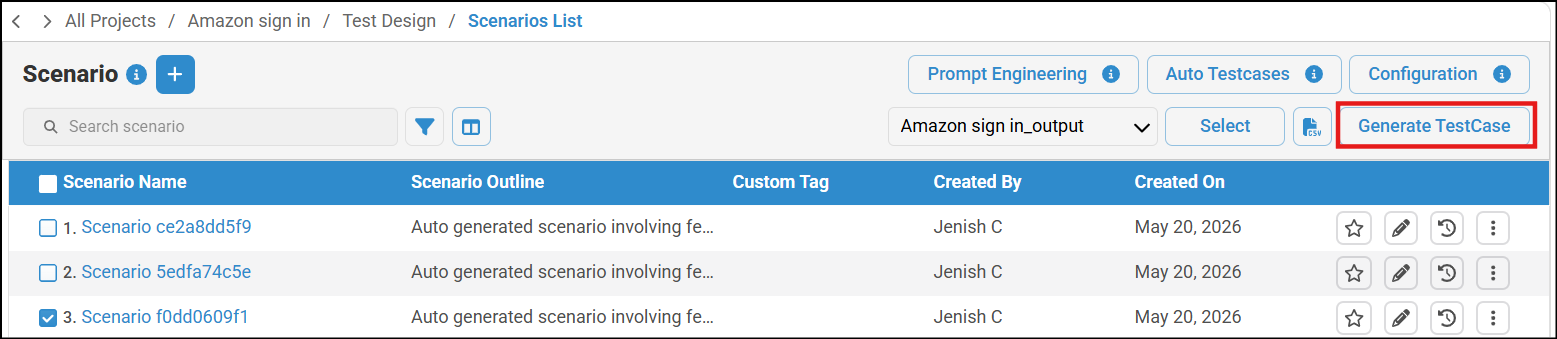
- After reviewing the scenarios, click Generate TestCase to generate the test cases.
- The Test cases will be generated, you can view the Test cases and generate Test scripts. For more details, refer to Generate Test Cases and Test Scripts.
3. Advantages For QA teams
| Feature | Benefit |
| Automatic generation | Saves time and effort |
| Standardized structure | Improves consistency |
| Better coverage | Reduces missed scenarios |
| Scalable testing | Handles large applications efficiently |
| Easy customization | Flexible for different project needs |
| Faster releases | Accelerates testing cycles |
Was this article helpful?
That’s Great!
Thank you for your feedback
Sorry! We couldn't be helpful
Thank you for your feedback
Feedback sent
We appreciate your effort and will try to fix the article