TABLE OF CONTENTS
2. How to access algoQA Copilot?
1. Overview
algoQA Copilot is a built-in chat assistant within the algoQA platform that helps users by providing real-time support while interacting with the platform. It has the capability to answer questions and offer guidance on using the platform.
2. How to access algoQA Copilot?
Perform the following:
- Log in to the algoQA platform, then click the
 algoQA Copilot icon in the left-side panel."
 - The Chat Assistant window appears. In this window, you can either type your question into the text field and click the
 send button to send your question or select from the list of suggested questions displayed in the assistant.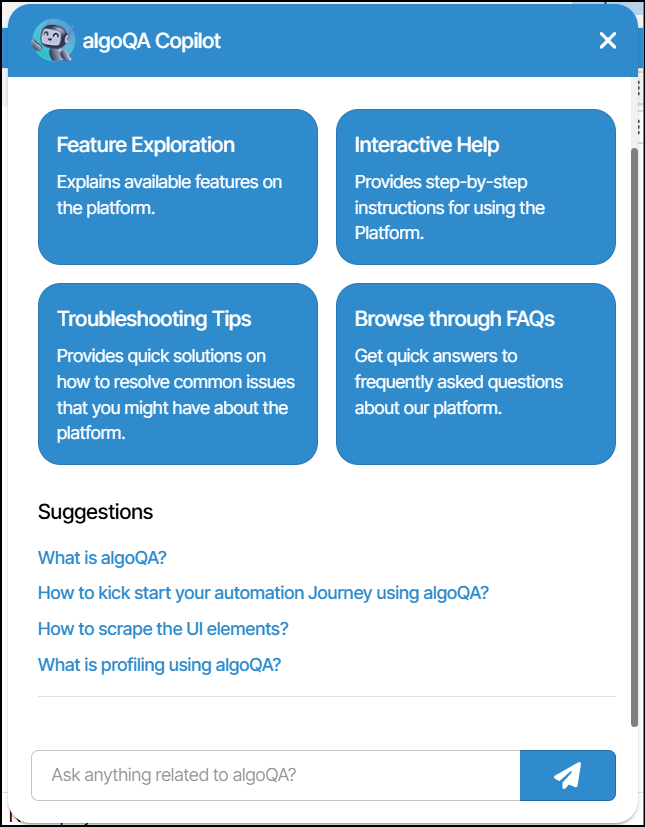
You can drag the pop-up window to any area of the screen to keep other parts of the platform visible while using algoQA Copilot.
Was this article helpful?
That’s Great!
Thank you for your feedback
Sorry! We couldn't be helpful
Thank you for your feedback
Feedback sent
We appreciate your effort and will try to fix the article